
Download Acala DivX to iPod – Convert Video, Video to iPod, DivX to iPod, Batch Conversion, Video Editing, Audio Extraction
Overview
Acala DivX to iPod is a utility application designed to streamline the process of converting video files into formats compatible with iPod devices. The app enables users to transform DivX and other video formats into MPEG4 and H264, ensuring seamless playback on iPods. It serves as a practical tool for individuals seeking to enjoy their personal video libraries on portable Apple devices, eliminating compatibility barriers. The application is particularly useful for users managing large collections of video content, offering a reliable solution for media portability.
Target users include multimedia enthusiasts, content creators, and individuals who frequently transfer video content between devices. The app addresses the common challenge of format incompatibility, allowing users to convert videos efficiently without requiring advanced technical knowledge. Although the developer did not provide additional background details, Acala Software has historically focused on media conversion tools, suggesting a specialized approach to digital content management. Real-world use cases include preparing home videos, educational recordings, or entertainment content for travel or personal viewing on the go.
Within the broader app ecosystem, Acala DivX to iPod occupies a niche role as a format-specific converter. While modern platforms increasingly support native conversion, standalone tools like this remain relevant for users needing precise control over output settings and batch processing. Its ability to handle multiple formats and extract audio tracks further enhances its utility, making it a valuable asset for media organization and device compatibility.
Key Features & Functionality
- User-Friendly Interface: The application features an intuitive layout that simplifies the video conversion workflow. Even users with minimal technical experience can navigate the tool effectively, selecting files and adjusting settings without confusion.
- Versatile Format Support: Acala DivX to iPod supports conversion from various video formats into MPEG4 and H264, ensuring broad compatibility with iPod devices. This flexibility allows users to process nearly any video file they encounter.
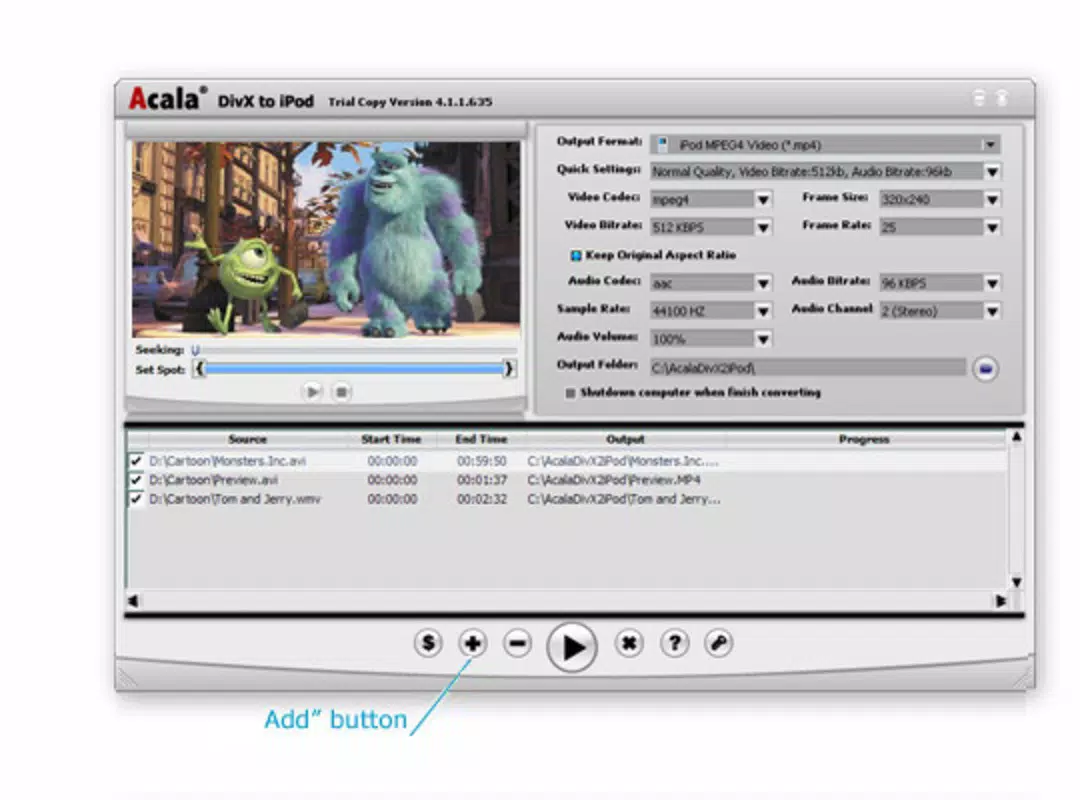
- Batch Conversion Capability: Users can process multiple video files simultaneously, significantly reducing the time required for large-scale conversions. This feature is ideal for preparing extensive media libraries for portable playback.
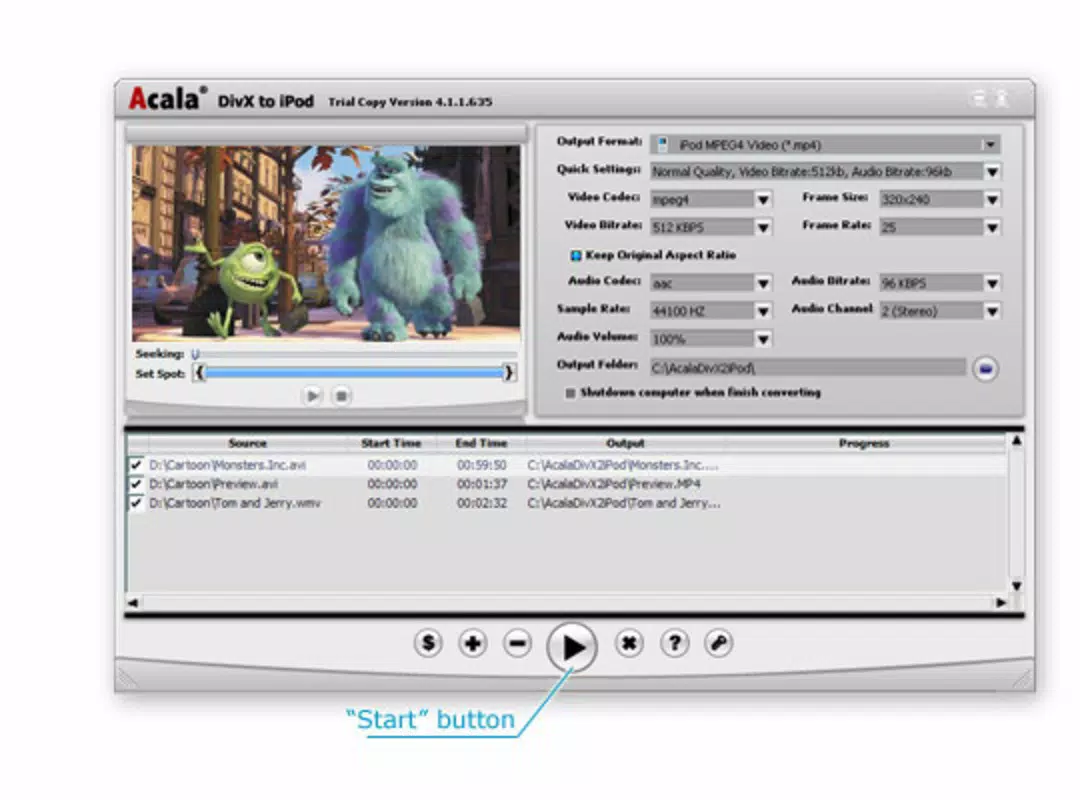
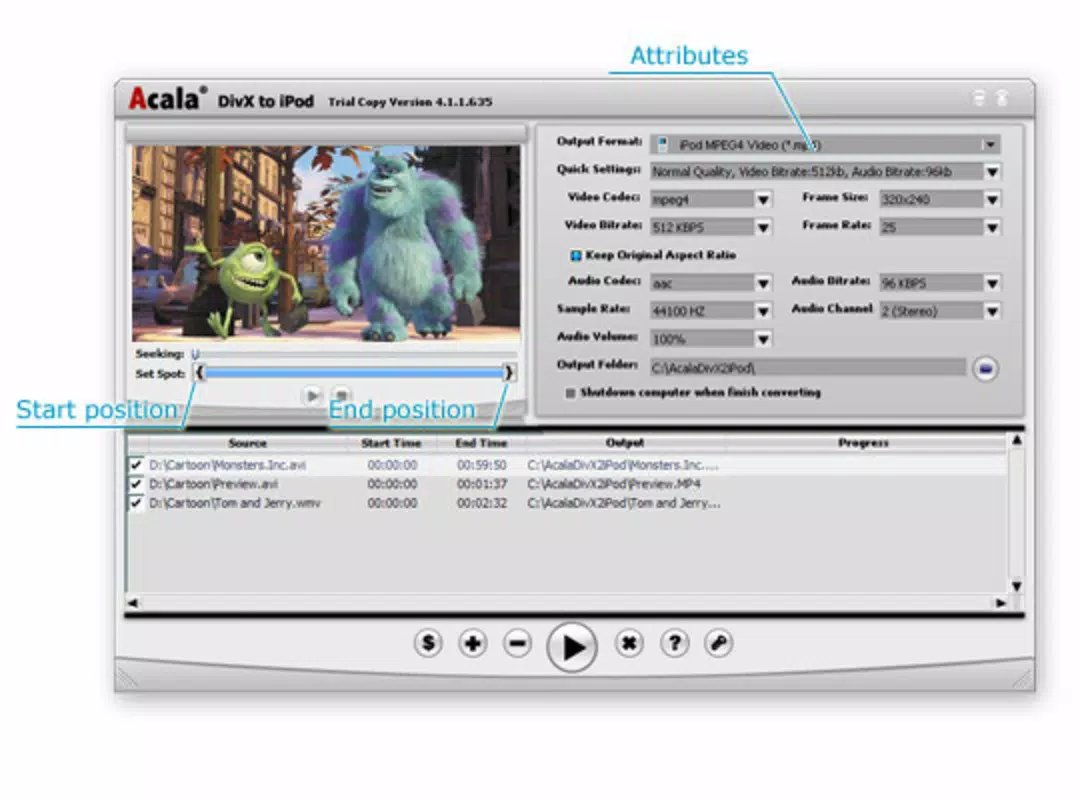
- Customizable Output Settings: The app allows users to fine-tune output parameters, including codec selection, audio volume, and video quality. This level of control ensures that the final output matches specific device requirements or personal preferences.
- Integrated Video Editing Tools: Before conversion, users can add text overlays or custom watermarks to their videos. This functionality supports content attribution and personalization, enhancing the sharing and presentation of media.
- Audio Extraction: The application can separate audio tracks from video files, enabling users to save sound files independently. This is useful for creating music playlists or preserving audio commentary from video content.
For example, a user preparing a family vacation video can convert multiple clips at once, apply a watermark with the family name, and extract background music for use in other projects. These features collectively enhance the usability and value of the app in personal media management workflows.
Interface, UX & Performance
The user interface of Acala DivX to iPod is designed with simplicity and functionality in mind. The layout is clean, with clearly labeled sections for file selection, output settings, and conversion controls. Navigation is straightforward, allowing users to move between steps without confusion. Visual cues and consistent placement of buttons contribute to a smooth user experience.
Although the developer did not list formal performance metrics, the application is optimized for efficient processing on standard Windows systems. Users can expect responsive interactions during file selection and settings adjustment. The app maintains stability during conversion tasks, with minimal risk of crashes or freezes during normal use. Performance may vary depending on system specifications, but the tool functions reliably across a range of device categories.
Responsiveness is maintained throughout the workflow, with real-time feedback during batch processing. The interface updates progress indicators and provides clear status messages, enhancing transparency. While no specific details were provided about resource usage, the 13.5 MB file size suggests a lightweight footprint, which may contribute to efficient operation on older or less powerful machines.
Platform Compatibility & Technical Requirements
Acala DivX to iPod is available for the Windows platform, making it accessible to users on desktop and laptop systems. The current version is 3.0.1.154, released on February 19, 2014. The application has a file size of 13.5 MB, indicating a compact installation package.
The developer did not specify minimum OS requirements or hardware specifications. Compatibility with modern Windows versions (such as Windows 10 or 11) cannot be confirmed without additional information. Users should verify system compatibility before installation. The app is not available on mobile platforms, limiting its use to desktop environments.
Pros and Cons
Pros
- Intuitive interface suitable for beginners and intermediate users
- Supports batch conversion for efficient processing of multiple files
- Offers customizable output settings for precise control over quality and format
- Includes video editing features like text overlay and watermarking
- Can extract audio tracks from video files
- Compact file size of 13.5 MB
Cons
- Released in 2014; may lack support for newer video codecs or formats
- Platform limited to Windows; no mobile or macOS availability
- Developer did not provide detailed system requirements
- Price point of $39.95 may be considered high for a single-purpose tool
- No indication of ongoing updates or technical support
FAQ
Is Acala DivX to iPod safe to download and install?
Yes, the application is a legitimate tool developed by Acala Software. However, users should ensure they download from official sources to avoid third-party modifications.
Can I convert multiple videos at once?
Yes, the app supports batch conversion, allowing users to process several video files simultaneously.
Does the app work on Mac or mobile devices?
No, Acala DivX to iPod is only available for Windows and does not support macOS or mobile platforms.
What video formats can be converted?
The app supports conversion from various formats into MPEG4 and H264, ensuring compatibility with iPod devices.
Is the software regularly updated?
The developer did not provide information on update frequency. The latest version was released in 2014, so users should assess whether current needs align with the app’s capabilities.
Final Thoughts
Acala DivX to iPod remains a functional tool for users needing to convert video files for iPod playback. Its batch processing, customizable settings, and built-in editing features offer practical benefits for managing personal media. While the app is outdated by modern standards, its core functionality continues to serve users with legacy video libraries or specific format conversion needs. The lack of mobile support and limited update history are notable drawbacks, but the tool’s reliability and ease of use make it a viable option for Windows users.
For individuals seeking a dedicated, no-frills converter with editing capabilities, Acala DivX to iPod delivers value. Its ability to handle multiple formats, extract audio, and apply watermarks adds versatility to the conversion process. Despite its age, the app remains a secure and effective utility for specific tasks.
Download Acala DivX to iPod now


